01 · Setup
Set up from what you already have
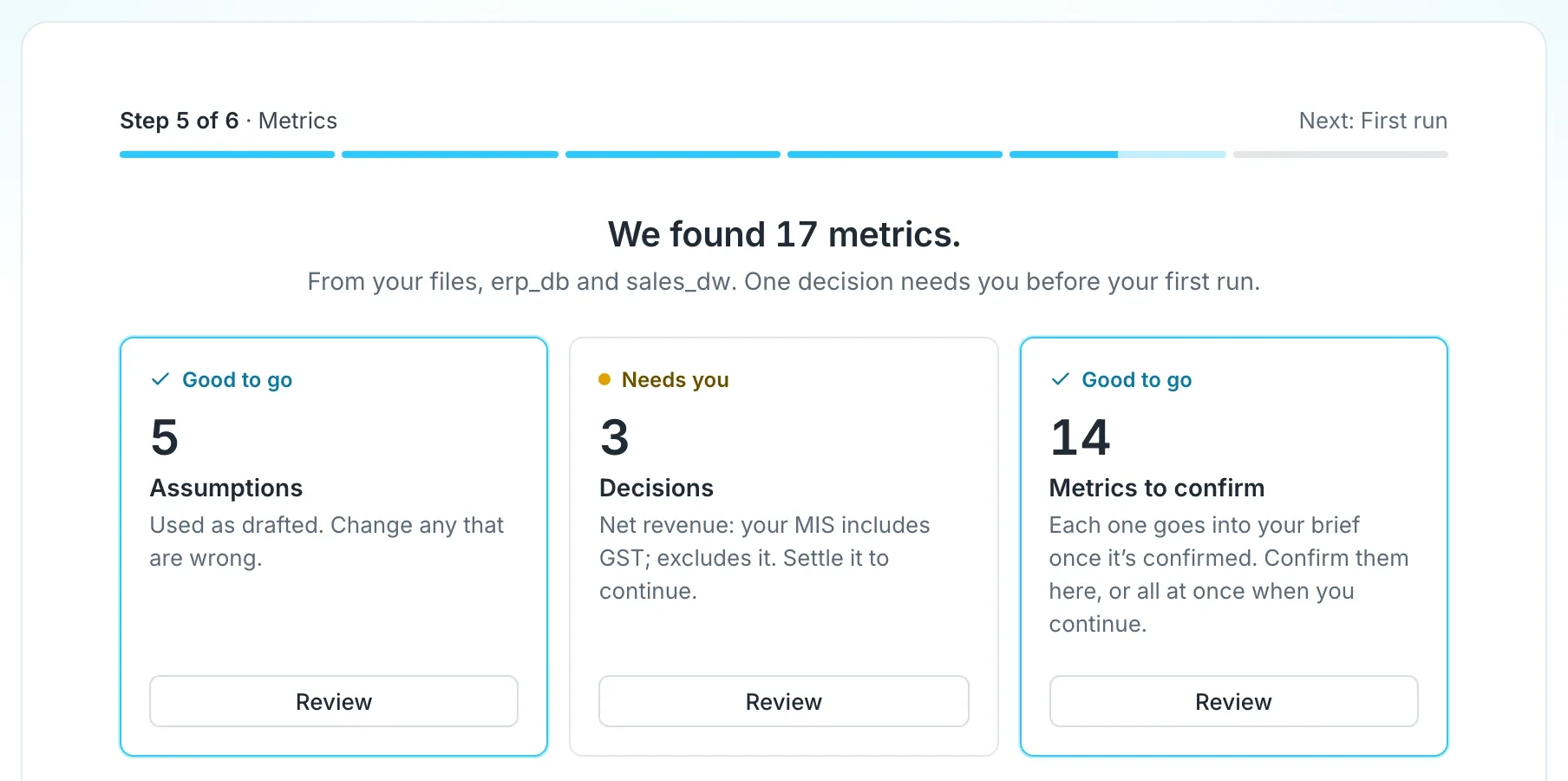
Othor AI reads your reports, connects to your data and drafts your numbers. Nothing counts until you confirm it.
- 01
Upload the reports and decks you already use.
- 02
Connect PostgreSQL, MySQL or Google Sheets, read-only.
- 03
Confirm each number before it goes into a brief.
02 · Morning Brief
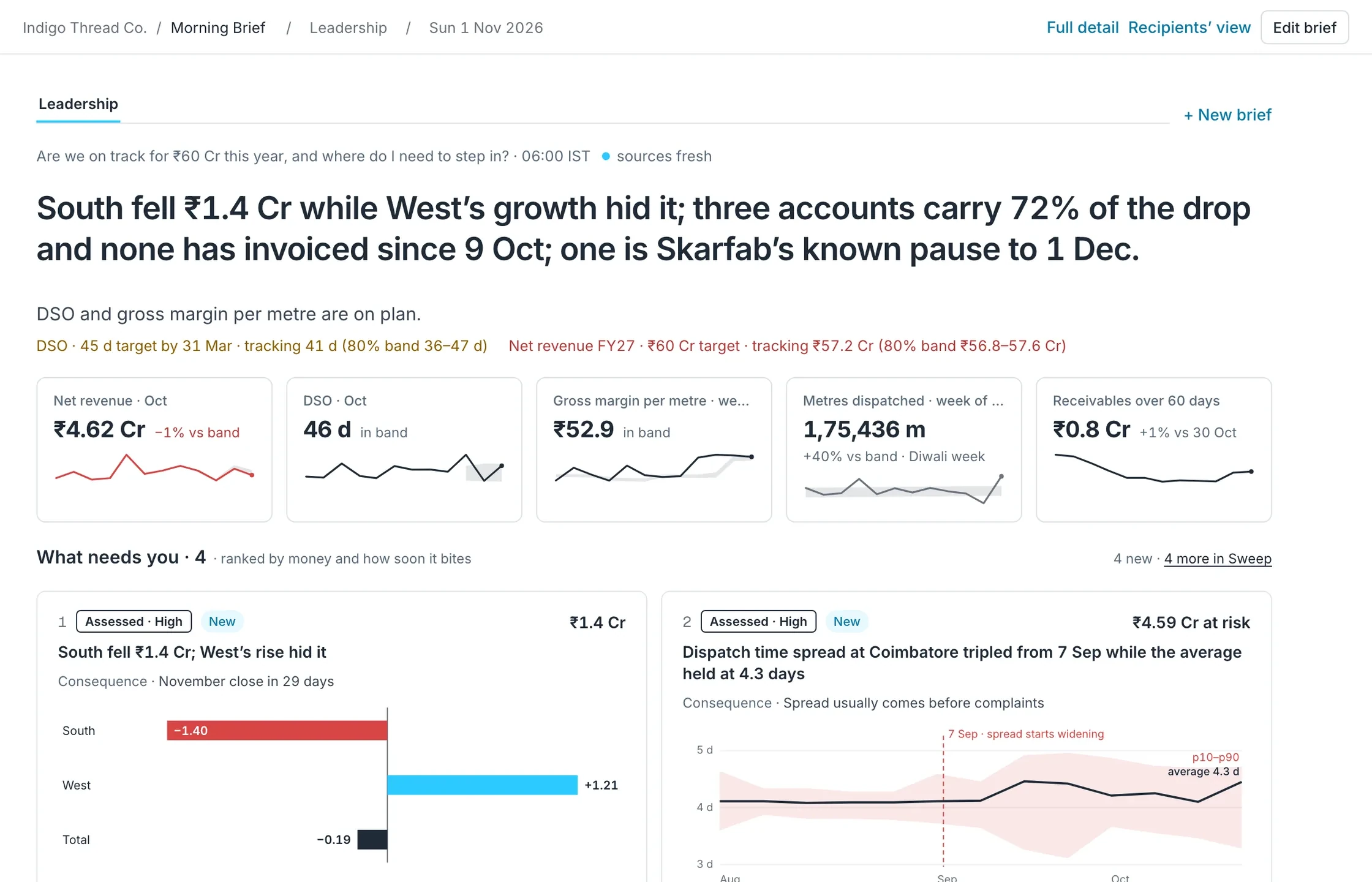
One page by 06:00, ranked by money and how soon it bites
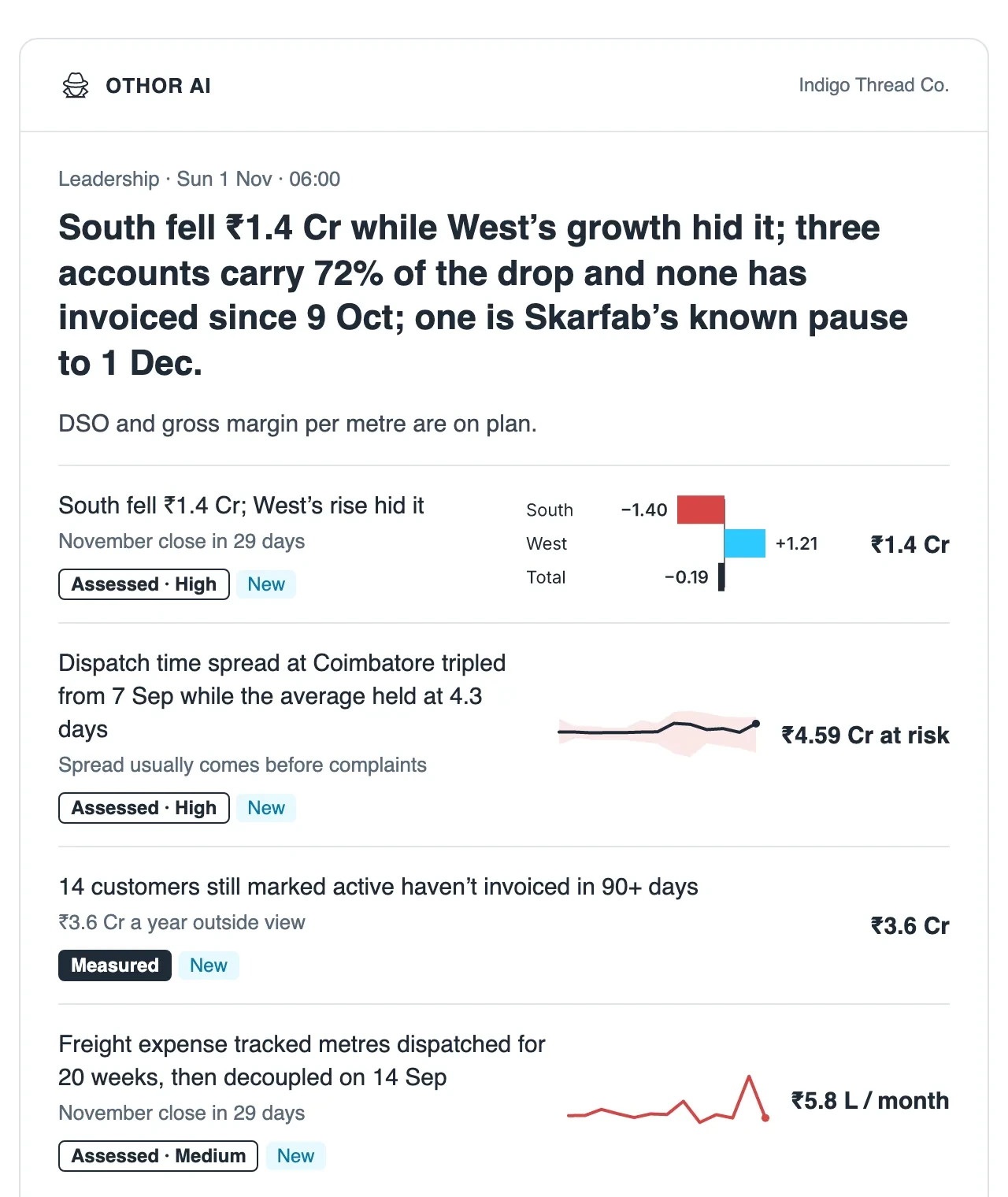
A headline that takes a position, the numbers you watch, and the few things that need you.
- 01
Each finding says how sure it is and what it means for the business.
- 02
Different briefs for different readers.
- 03
Every past brief kept as it was sent.
03 · Provenance
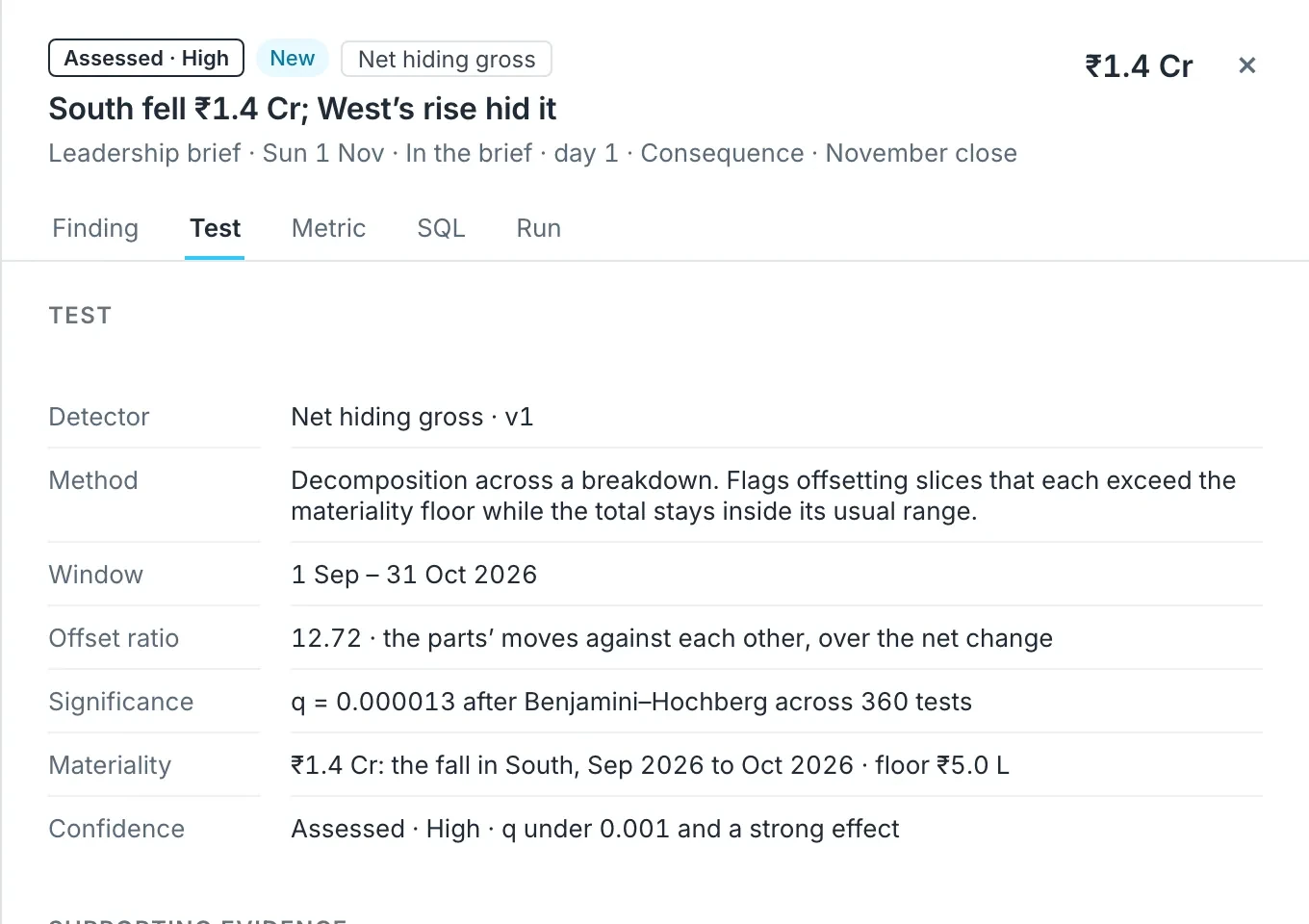
How is this calculated? Ask any number
Open any finding to see how it was found and where its numbers come from.
- 01
The test behind it, and how sure it is.
- 02
The definition and source of every number.
- 03
Any night can be run again to the same result.
04 · Sweep
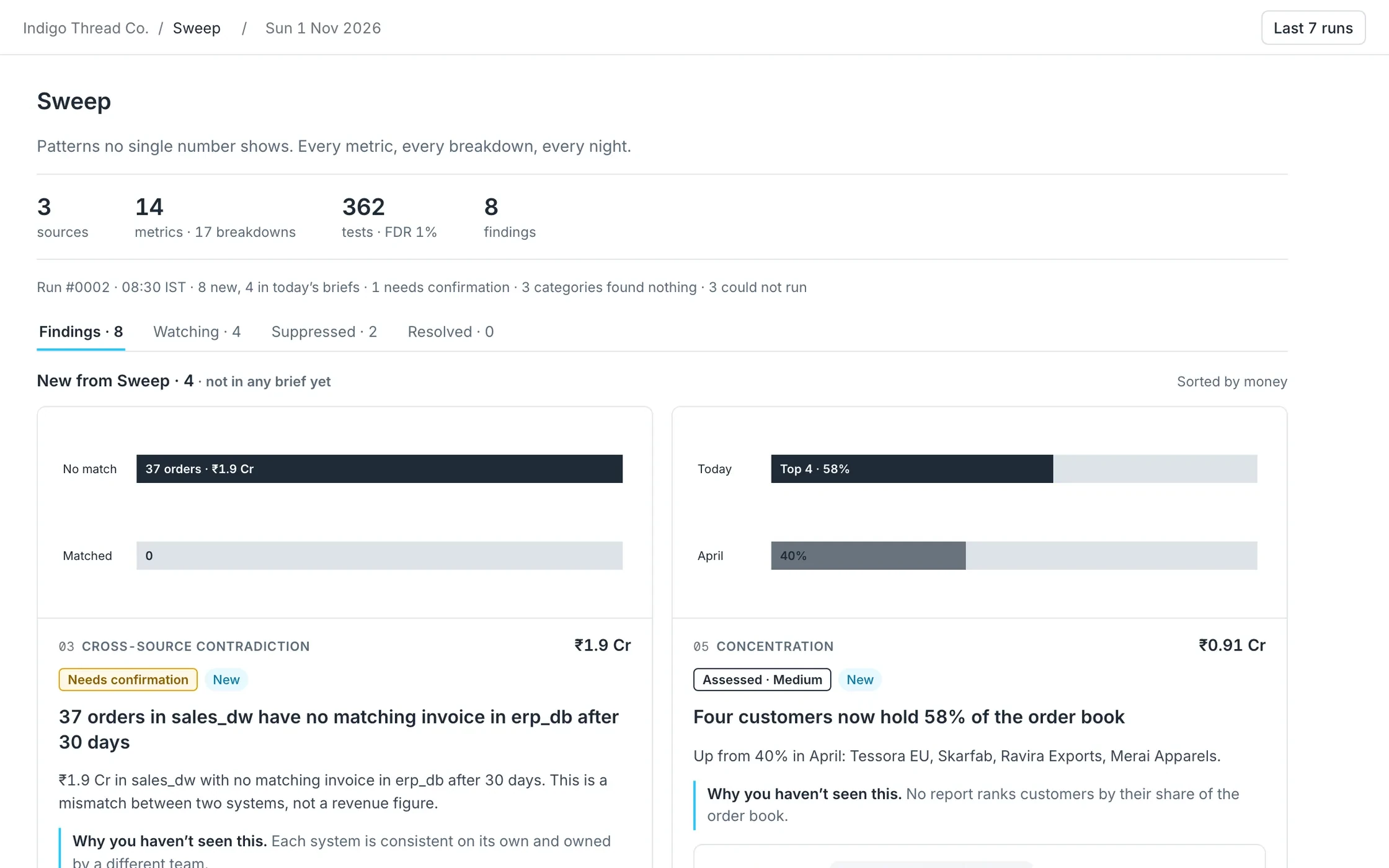
Every pattern, every night, in one place
The brief takes the few that matter. Sweep keeps everything found each night.
- 01
New findings first, each with the question to ask, and of whom.
- 02
Watch a finding, snooze it, or add it to a brief.
05 · Home
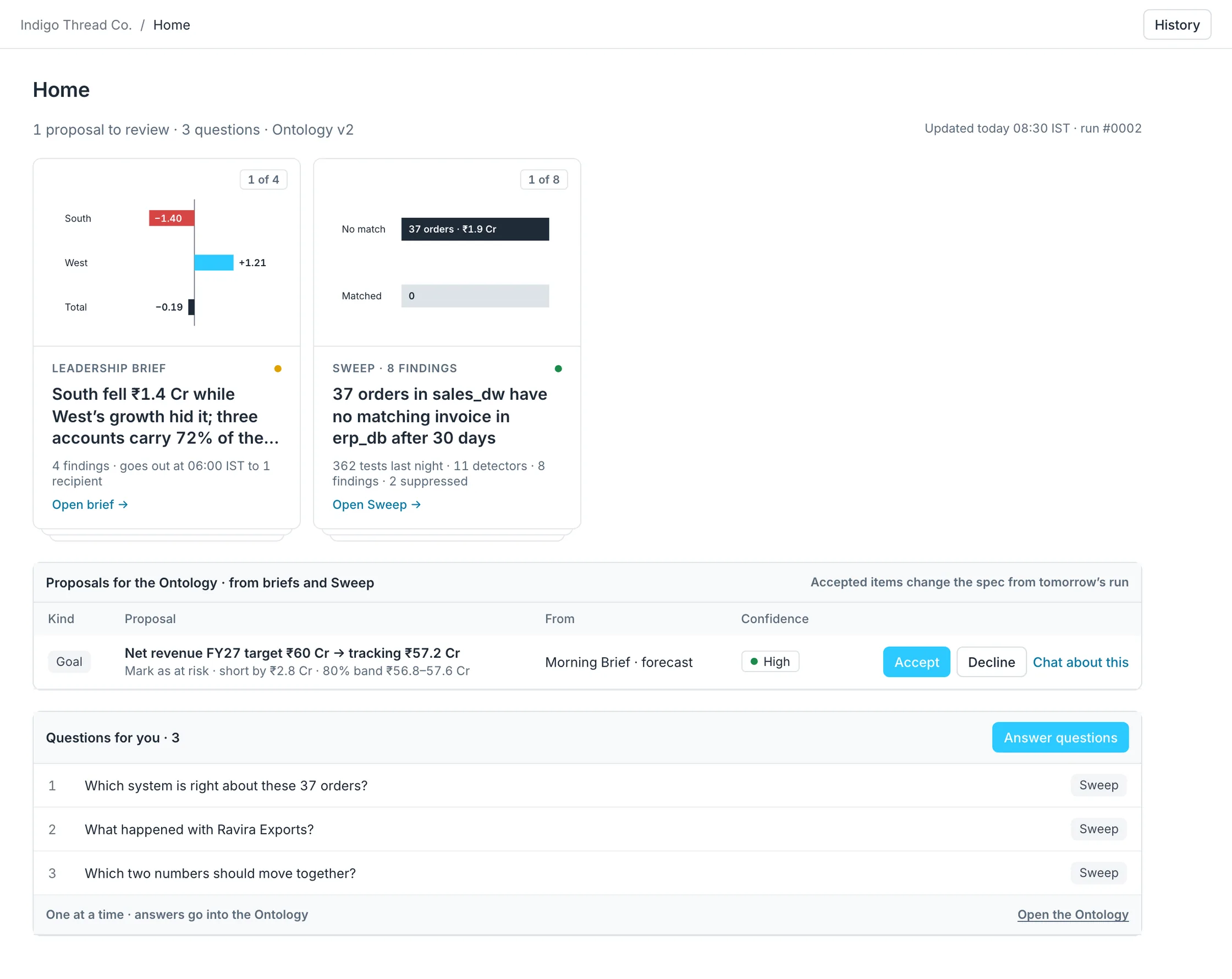
Where you keep the definitions true
Each night raises questions and proposes changes. You answer and apply them here.
- 01
Accept or decline each proposed change.
- 02
Answer questions one at a time.
06 · Ontology
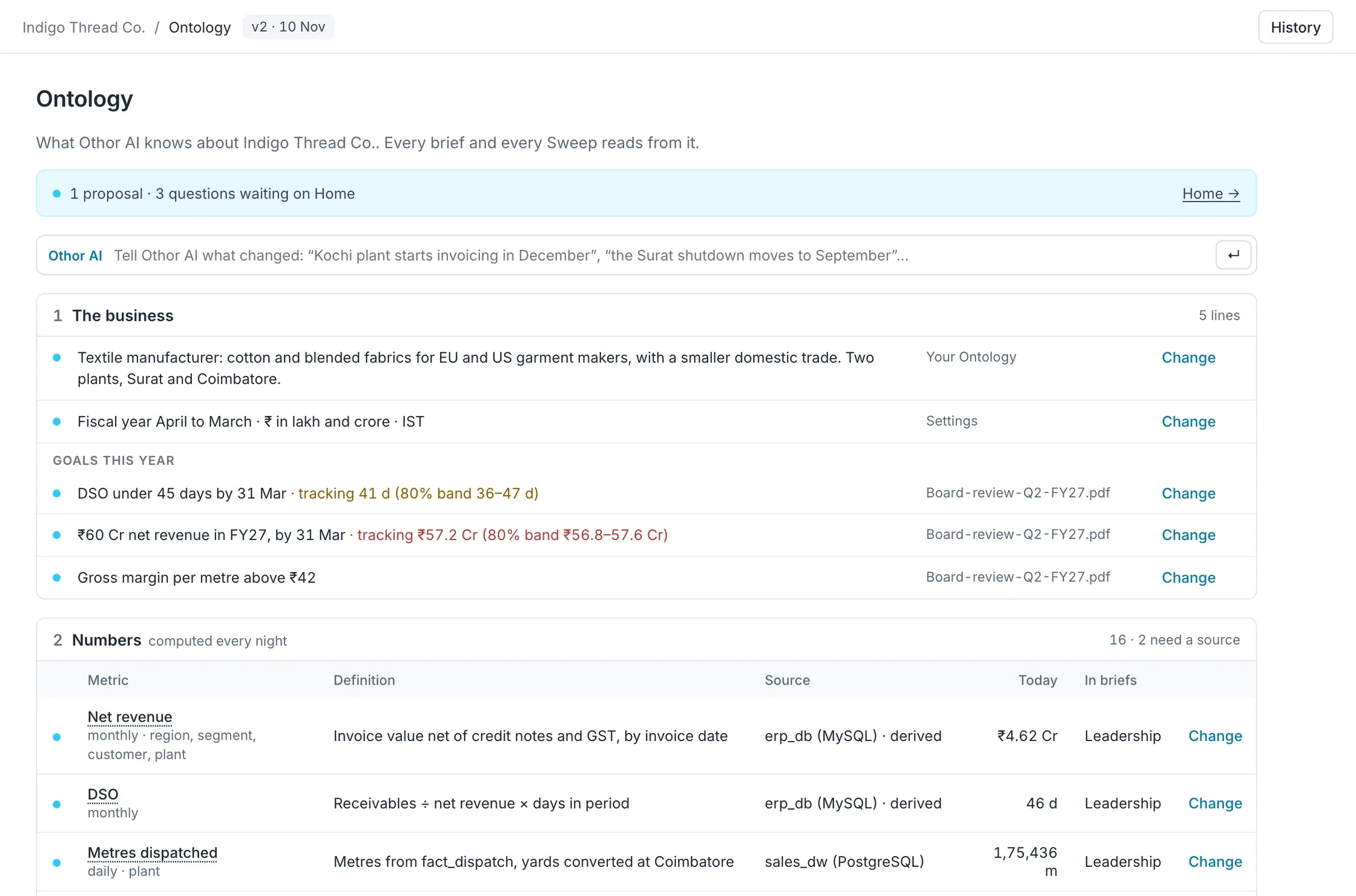
Everything Othor AI knows about your business, on one page
The business, its numbers, its names and its known patterns. Every brief reads from it.
- 01
Each number with its definition and source.
- 02
Tell Othor AI in plain words; it drafts the change, you apply it.
- 03
Every version kept.
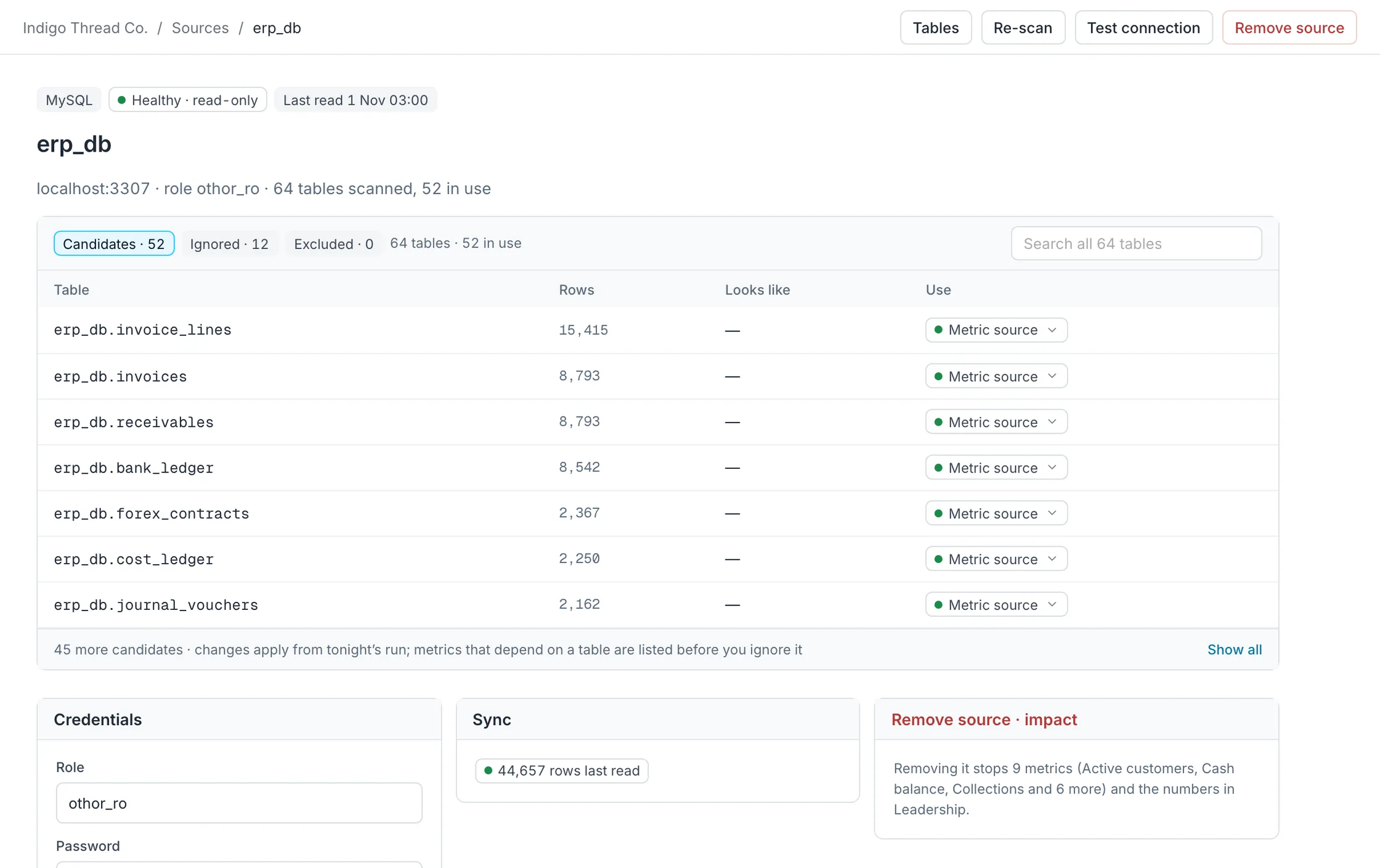
07 · Sources
Read-only connections you can see into
Each source shows its health, what it reads and what it leaves alone.
- 01
A login that can write is refused.
- 02
Personal columns are never read.
08 · Email and phone
Wherever you read it
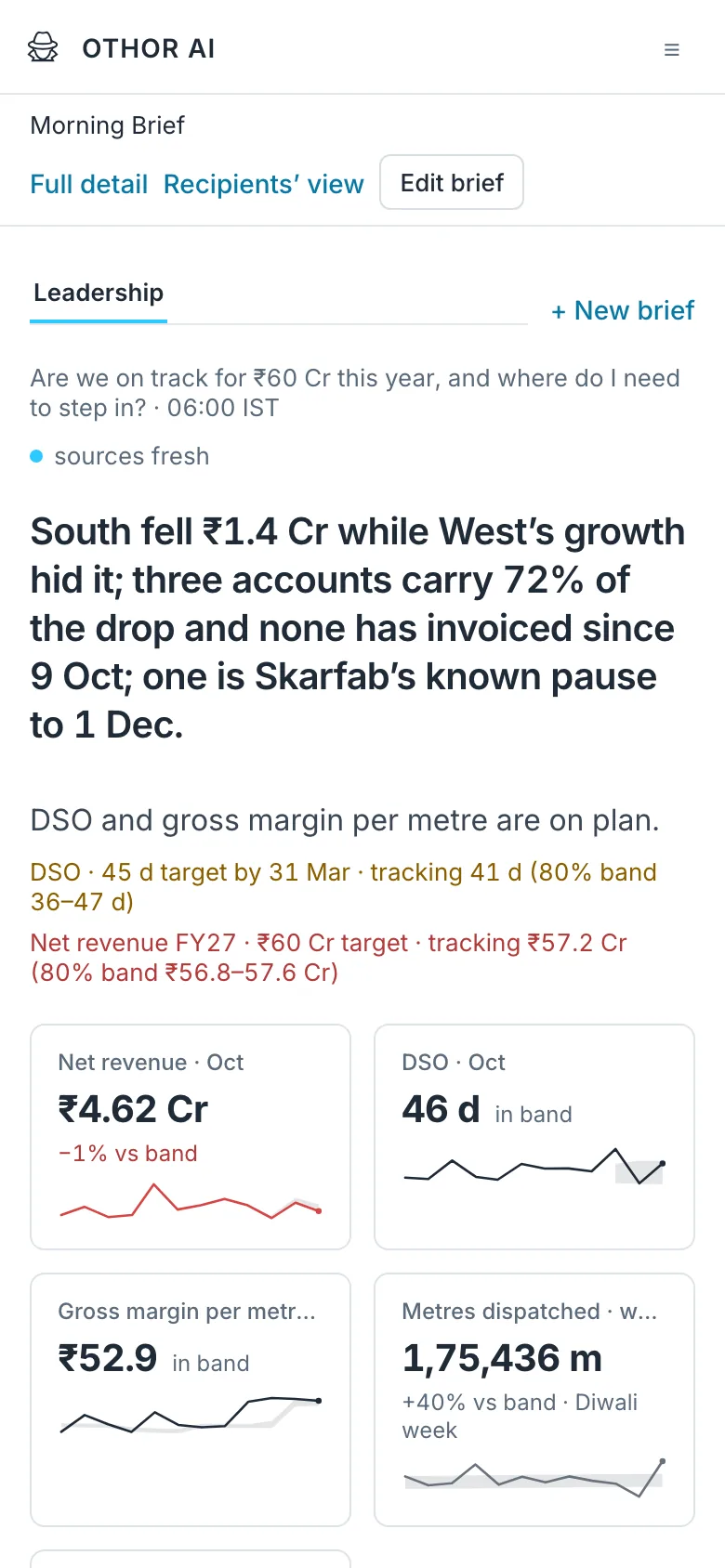
The brief arrives by email at 06:00, with its charts. Others read it through a link, without an account. On a phone, it reads as one column.