Release
Any model · Othor AI Bifrost 0.37
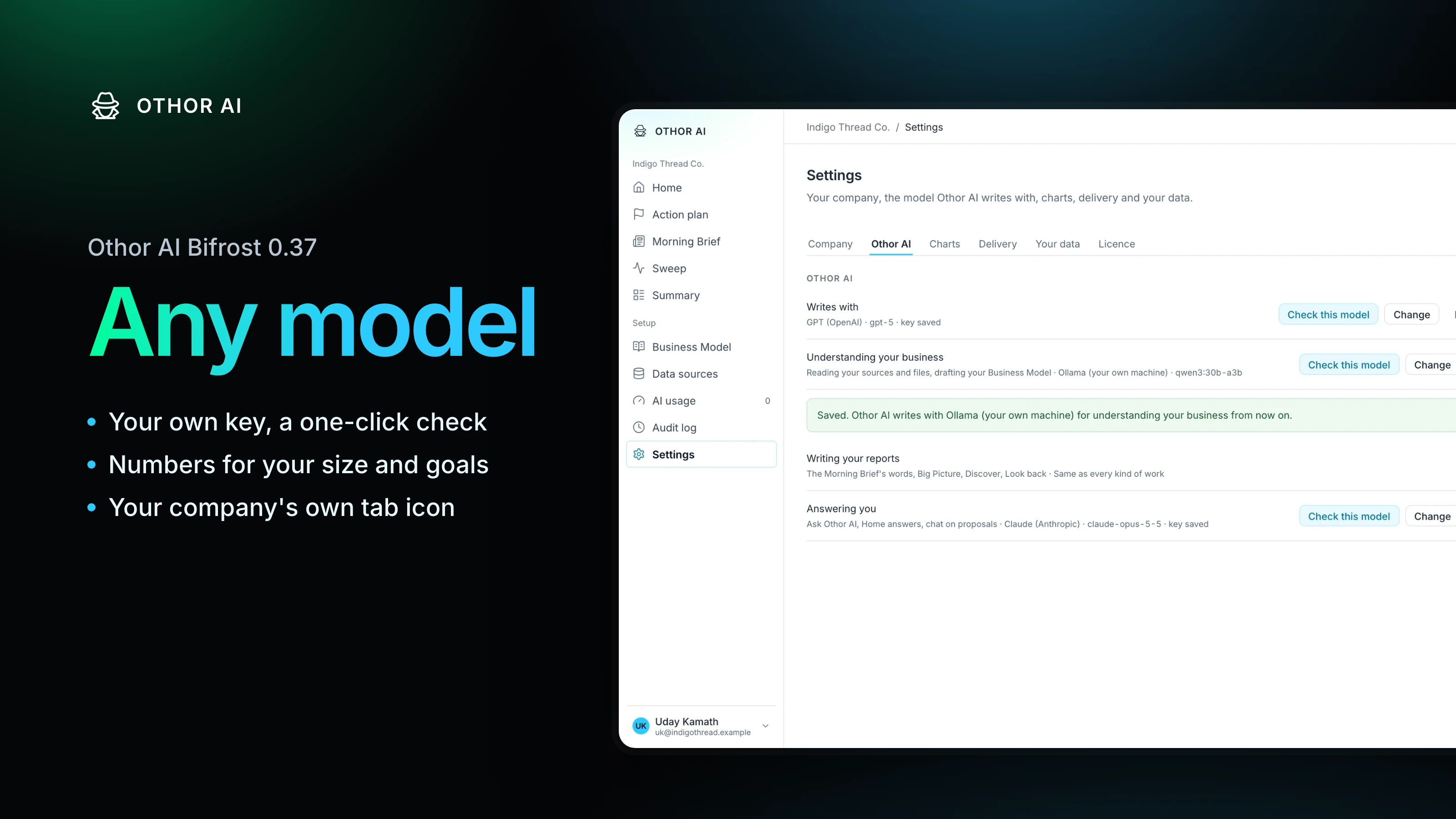
Othor AI now writes with the model you choose: pick a provider and a model, paste your own key, and check it in one click. It also suggests the numbers companies of your size usually watch, and each company gets its own browser tab icon.
Added
- Settings › Othor AI: choose the provider and model Othor AI writes with, for all its work or one kind at a time: Claude, OpenAI, Gemini, Azure OpenAI, Mistral, DeepSeek, Groq, Together AI, OpenRouter, or a model on your own machine.
- Paste your own key: it is kept encrypted and only ever shown as “Key saved”. Work on your own key is outside the monthly AI allowance.
- Check this model tries the model on one sample question and says in place whether it is good enough; Back to the usual model undoes the choice.
- Suggested numbers for your company's size and goals, each with its figure and why it matters, in the Business Model, on Home and under the checklist item they complete.
- Each company's browser tab shows its own icon: its logo, or the first letters of its name.
- Home's Action plan names the brief each line comes from, and each line opens that brief's own Action plan.
- A week in Home's Next 4 weeks opens that week on Forecasts.
Fixed
- A figure in a chat answer or a reworded brief can no longer sit under the wrong label.
- A sentence that says a number moved the wrong way is left out.
- A number set up from an uploaded workbook finds its tab when the same workbook is connected from Google Sheets.
- Times on parts of a page that refresh in place use your company's time zone.
- The suggestion to invite someone names each area in plain words.